

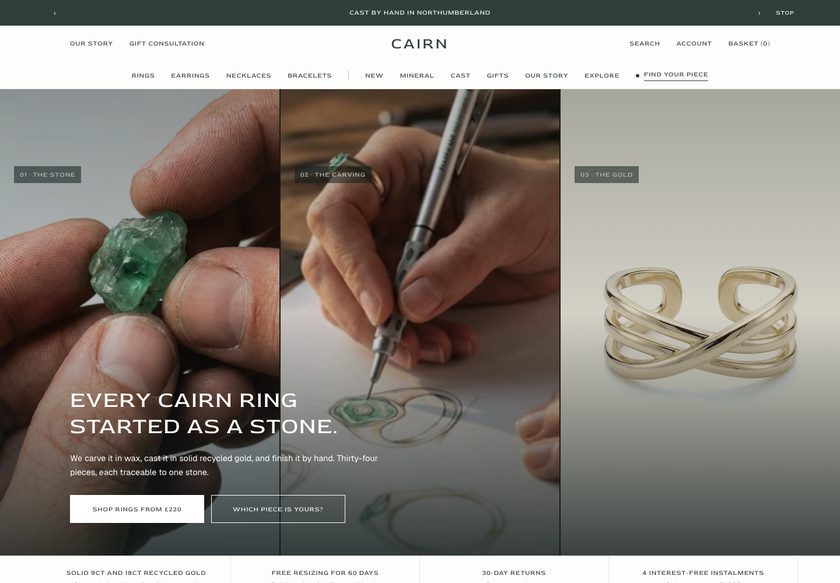
Nobody buys a ring they cannot hold. Cairn shows them the stone.
It answers the questions that stop a purchase, right on the page: which piece suits me, will it fit, is it the right gift, where did it come from. Every piece is shown with the stone it was cast from.
Demo password: convertica · Download from £350 or have us set it up · No monthly theme fee
A ring cast from one stone raises questions a photo cannot answer.
Your customer loves the stone in the photo. Then the questions start, and they do not ask you, they just leave the tab open and drift away.
A theme that only shows products leaves every one of those unanswered. Cairn answers all four, in the store, before they leave.
A quiz that ends in a piece, not a shrug.
Buyers of one-of-a-kind jewellery rarely know where to start. Four questions in (landscape, presence, tone of gold and budget), Cairn names a piece and a set to go with it, so they land on something to buy instead of a wall of products.
- A full quiz page, an entry band on the home page, and a piece finder on the campaign home page
- Shop-by-need, shop-by-budget and landscape rows that sort the range by what the buyer wants
- One campaign home page that opens on the finder, for stores that lead with advice
Ring and wrist sizing, explained where they choose.
A wrong size is the quietest reason a ring order never happens. Cairn puts the size guide next to the picker, says what resizing involves, and shows stock honestly, so the customer adds to basket feeling sure.
- Metal and size pickers with a ring guide and a wrist guide, a printable sizer link and a sizing chat link
- A resize line and a question link beside the Add to basket button
- A buy-box sheet that shows the twelve states a buy box can be in, and a sticky add bar so the button is never far away
Gifting is built in, from choosing to the note in the box.
Anniversaries, birthdays and the weeks before the holidays carry a jewellery year. Cairn makes giving easy at every step, from finding the piece to the note inside the box.
- A gift consultation band, a gift request form and a gifts-under-a-price section
- In the basket: an optional gift note, plus gift wrap with a handwritten note as an add-on
- A gift card product page, a designed page for the person who receives one, and a reward ladder that shows what the next step unlocks
Show the stone, the landscape and the hours, on every piece.
People pay more for a piece they can trace. Cairn gives each product a provenance block, so a stranger sees the stone, where it was found and how long it took to carve, not just a price.
- Provenance fields on each product: stone name, landscape, carving hours and hallmark, with a stone photograph and a weight
- A making page with chapters and an optional video slot, a founder letter, an About page and a journal
- Reviews with an overall rating and a filter by size, and an honest empty state when there are none
Pieces rarely sell alone. Cairn shows what goes together.
A ring with the band that stacks. Earrings with the pendant. A set from one stone. The theme suggests them where the customer is already deciding.
Stacks well with
Pieces share a stack group, and a stack builder on the collection and merchandising home pages lets buyers layer them.
Often worn with
A pairing band on the product page, read from each piece’s pair-with field, with a running total and one add button.
Set builder
A product design that assembles a set or a stack from several pieces, with a total.
In the basket
A reward ladder with amounts you set, an upsell, gift wrap and, in the gift layout, express checkout.
It should look like your brand, not like everyone who bought the same theme.
Pick the opening that suits your range, then recolour the whole store from one dropdown.
Hero, proof bar, quiz entry, product rail, making chapters and a gift band. Best for most stores.
Shop by meaning, material and process, and reassurances. Best for a small, story-led range.
Budget bands, a stack builder, gifts under a price and reviews. Best for a wide range.
A piece finder, commission steps and a gift request form. Best for made-to-order and gifting.
Twelve palettes, one click
The Cairn Forest default, ten alternatives and a Custom option. Two bundled typefaces, Red Rose and Geist.
Everything is a section. Move it, add it, hide it.
You are a maker or a small brand, not a web agency. Cairn is built so you can change what you need in the theme editor and never touch code. Prefer not to? We can set it all up for you.
- 79 sections you can add to any page, each with its own padding and background controls
- 217 settings in 21 groups: colour, type, container width, basket behaviour and more
- Default copy in every section, so a new page never opens empty
- A Theme Guide that walks you through each step
The parts you can't see, done properly.
Ready to be found
Canonical and social-share tags on every page, and 17 kinds of structured data, including Product, Offer, FAQPage and BreadcrumbList, so search engines can read your range.
Light on the page
No framework and no jQuery. Fonts are bundled, and each template loads only its own CSS and JavaScript.
Built for everyone
A skip-link setting, an option to underline links, reduced-motion handling, right-to-left support and 44-pixel tap areas.
Plays well with apps
App-block slots in 64 sections for reviews and extras. Google Analytics 4 works with your own ID.
What you would otherwise piece together from apps and custom work.
On many themes each of these is an extra app or a developer's afternoon. In Cairn they are part of the theme. A few things honestly are not, and we say which.
| Feature | In Cairn |
|---|---|
| Quiz and piece finder | Built in |
| Stone, landscape, carving hours and hallmark on each product | Built in |
| Ring and wrist size guides | Built in |
| Stacks, often-worn-with pairing and set builder | Built in |
| Gift note, gift wrap and gift request form | Built in |
| Reward ladder in the basket | Built in |
| Colour palettes, four home layouts | Built in |
| Product reviews | Review cards you fill in, or figures from your review app |
| Review submission form | Not included, the button opens an email or your own form |
| Collection filters | Shopify’s Search & Discovery filters, drawn by the theme |
| Wishlist, waitlist and loyalty | Not included, saved pieces stay in the visitor’s browser |
| Customer account pages | Hosted by Shopify |
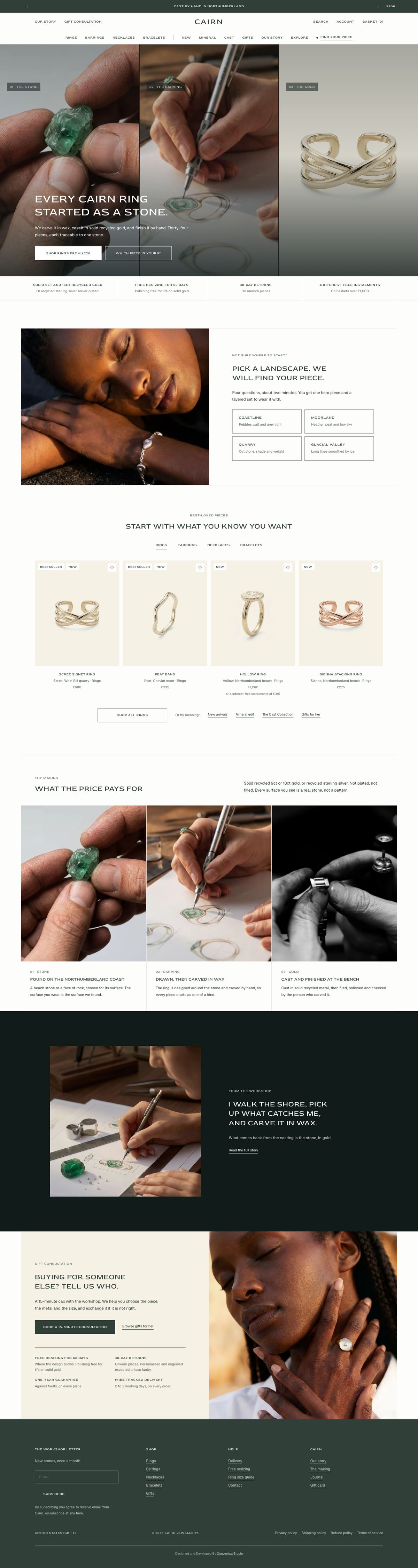
All 25 page designs, shown.
Real captures of the live demo store, at desktop and phone width. Click any screenshot to see the whole page.
- You sell rings, earrings, necklaces or bracelets and every piece has a story.
- Your customers need help choosing a piece, a size or a gift.
- You are an independent maker or a small brand who edits in the theme editor.
- Where a piece came from is part of why people buy it.
- Designed customer-account pages. Shopify hosts those.
- More than one language out of the box. Cairn ships in English.
- A wishlist, waitlist, loyalty or subscriptions without adding an app.
- Collection filters beyond Shopify’s Search & Discovery app.
Two ways to get it. Choose how much you want us to do.
Try the live demo first (password convertica). Then download the theme and set it up yourself, or have us set it up on your live store.
You install it and set it up yourself, with the Theme Guide beside you.
- The complete theme: 31 templates, 92 sections
- The Theme Guide with a quick start
- Updates and bug fixes included
- You set up your store, fields and collections
We set Cairn up on your live store, so it is ready to take orders.
- Everything in the download
- We review your store first
- We create the custom fields your products need
- We create your collections
- We set up your buying paths
- Everything else needed to go live
Questions store owners ask
Do I need a developer to set it up?+
No. Everything is changed in the Shopify theme editor. The Theme Guide walks you through the steps, and the demo store shows how each page is set up. If you would rather not, our £1,000 set-up does it for you on your live store.
Will it work with the products I already have?+
Yes. Some features read extra product details, such as stone name, landscape, carving hours and hallmark, from product metafields. The guide lists them and shows how to fill them in.
Can I change the homepage later?+
Yes. All four home layouts ship in the theme, and every section can be added to any page, so you can switch or mix them without rebuilding.
Does it include product reviews?+
Cairn shows a rating summary and review cards, with a filter by size, from review blocks you fill in or figures from your review app. With no reviews it prints an honest empty state. The Write a review button opens an email to your store or links to a form you choose; the theme does not collect or store reviews itself.
Will it sell more for me?+
We will not promise a number, because results depend on your products, prices and traffic. What Cairn does is remove common reasons buyers hesitate, with clear price and stock, a quiz, size help, a gift path and the story of each piece.
What do I need to set up in Shopify?+
Set your store currency, activate gift cards if you want them, add your filters in Search & Discovery, and fill in the product fields the theme reads, such as stone name, landscape, carving hours and hallmark.
What does the £1,000 set-up include?+
We review your store, create the custom fields your products need, create your collections, set up your buying paths, and do everything else needed to go live. The theme is included.
Do you write the words and make the images?+
No. Copywriting and image generation are not included in either option. You bring your own words and photos, and we place them in the theme.
Can I use it on more than one store?+
No. One licence covers one Shopify store. It cannot be used on any other store, including other stores owned by the same person or business. If you need Cairn on another store, buy another licence.
What does support cover?+
Updates and bug fixes are included with both options. Customisation and feature requests are quoted separately. Write to hello@converticastudio.com.